
Skip to content

Top 5 Lucidchart alternatives for practical mind mapping in 2026

People comparing Lucidchart alternatives are usually deciding between a broad diagram suite and a faster mind map workflow. Lucidchart is excellent for cross-functional diagramming, but if your daily focus is brainstorming, concept mapping, and quick idea organization, a more focused tool can be a better fit.
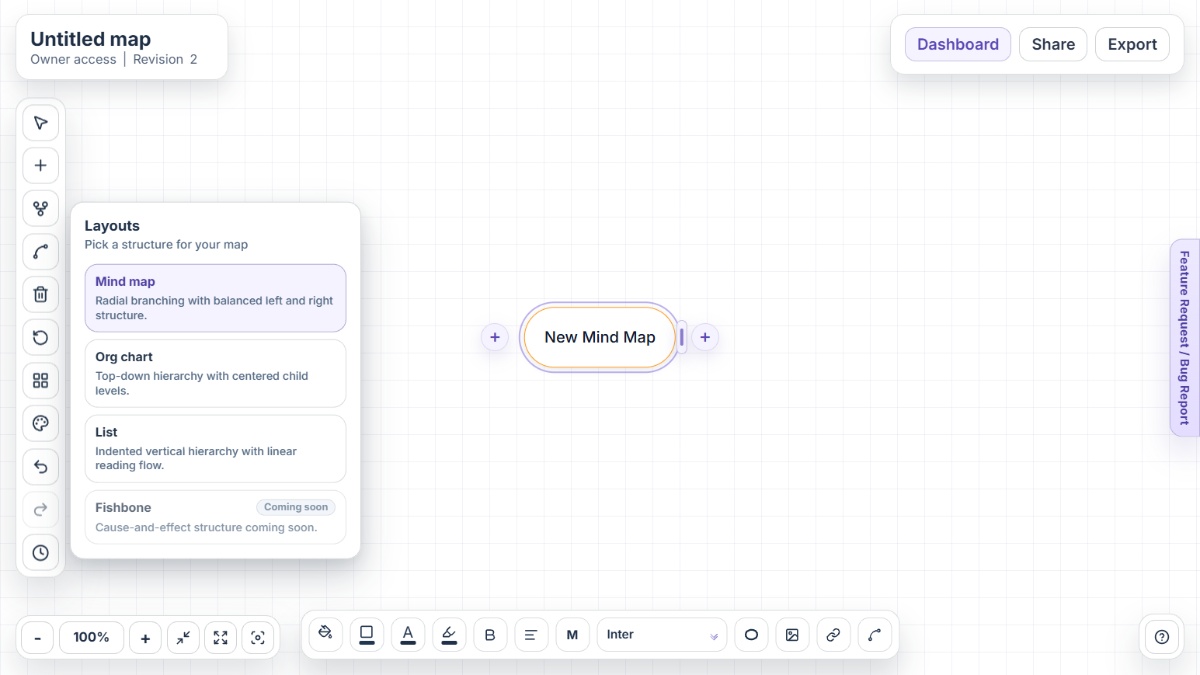
Mindmap-Maker interface showing mind map canvas with nodes, branches, and export options

Why people look for Lucidchart alternatives

Lucidchart is a capable visual platform, yet teams often compare alternatives to improve speed, pricing fit, and mind map-first usability in everyday planning.

Free-tier limits arrive quickly for active users

With three editable documents and shape limits per document on the free plan, regular mind mapping users frequently start evaluating other options early.

Paid plans can become necessary for routine workflows

Unlimited documents and objects, plus premium templates and richer import/export workflows, are tied to paid tiers that may not suit every budget.

Mind mapping can feel secondary in a multipurpose suite

Teams that mainly want branch-based visual thinking sometimes prefer tools designed specifically for mind maps over broad diagram ecosystems.

Some teams need lower-friction startup

For quick brainstorming sessions, users often look for no-signup or minimal-onboarding tools that open directly to the canvas.

Workflow priorities vary across teams

Different teams prioritize different outputs and collaboration models, so alternatives are often reviewed to match specific planning and handoff requirements.

Alternative 1Open Mindmap-Maker

Alternative #1: Mindmap-Maker

Mindmap-Maker is a browser-first, no-signup mind mapping tool built for fast brainstorming, clean hierarchy, and practical sharing and export workflows.

Key features

  • Instant no-signup access
  • Mind Map, Org Chart, and List layouts
  • Version history with restore
  • Owner, Editor, and Viewer sharing roles
  • Export to PNG, JPG, SVG, PDF, Word, and HTML
  • Custom connections between any two nodes

Pros

  • Fastest path from idea to map without account friction
  • Layout flexibility helps teams move from brainstorm to structured planning
  • Export options fit common documentation and presentation handoffs

Cons

  • Teams heavily standardized on larger suite ecosystems may need transition time
  • Some enterprise buyers may compare deep admin controls across tools
  • Users expecting a broad multi-diagram suite may prefer a wider platform
Alternative 2Open MindMeister

Alternative #2: MindMeister

MindMeister is an online mind mapping platform centered on collaborative branch editing, idea planning, and presentation-style map communication.

Key features

  • Realtime collaborative editing
  • Template-driven map starts
  • Presentation mode
  • Task-oriented map elements
  • Import and export support
  • MeisterTask integration for task handoff

Pros

  • Focused experience for classic mind mapping
  • Accessible for teams that want straightforward branch-first workflow
  • Helpful when mapping and lightweight task planning overlap

Cons

  • Free-tier map limits can constrain frequent use
  • Many advanced workflows are paid
  • Governance features are stronger in higher plans
Alternative 3Open Miro

Alternative #3: Miro

Miro provides mind mapping within a broader visual collaboration workspace built for whiteboarding, workshops, and cross-functional planning.

Key features

  • Infinite collaborative canvas
  • Mind map and whiteboard workflows
  • Realtime and async teamwork
  • Presentation and sharing tools
  • Extensive integration ecosystem
  • Template library for workshop workflows

Pros

  • Strong for multi-team workshops and ideation
  • Useful when maps coexist with many visual artifacts
  • Good integration fit for larger organizations

Cons

  • Can be heavier than needed for pure mind mapping
  • Board governance becomes important at scale
  • Seat-based pricing can increase with growth
Alternative 4Open Coggle

Alternative #4: Coggle

Coggle is a lightweight web-based mind map and flowchart tool focused on speed, collaboration, and visual clarity for branch-based thinking.

Key features

  • Realtime collaboration
  • Full change history
  • Loops and joined branches
  • Multiple starting points
  • Export and sharing options
  • Browser-based mind mapping access

Pros

  • Simple for quick idea capture
  • Good fit for lightweight collaborative mapping
  • History and sharing are easy to use

Cons

  • Private diagram limits on free plan
  • Advanced customization favors paid plans
  • Large-team controls may need extra process
Alternative 5Open XMind

Alternative #5: XMind

XMind is a dedicated mind mapping platform with rich structures, AI-assisted workflows, and cross-platform support for deep planning and organization.

Key features

  • AI-assisted map creation
  • Multiple visual structures
  • Outliner and map editing
  • Realtime collaboration workflows
  • Broad export support
  • Web, desktop, and mobile support

Pros

  • Strong for users needing structure depth
  • Cross-platform experience supports mixed-device teams
  • Useful for both individual and team planning

Cons

  • Lower tiers include map and history constraints
  • Feature depth can feel heavy for lightweight usage
  • Some collaboration capabilities are plan dependent

Conclusion

Lucidchart remains a strong choice for teams that need multi-format diagramming with AI-assisted workflows and enterprise-ready collaboration. If your priority is faster mind map creation with less overhead, alternatives can be a better daily fit. Mindmap-Maker is the strongest instant no-signup option, while MindMeister, Miro, Coggle, and XMind each match different planning and collaboration preferences.

Other alternatives

FAQ

What is the best Lucidchart alternative for no-signup mind mapping?

Mindmap-Maker is a strong option if your main goal is starting a mind map instantly in the browser without account setup.

Is Lucidchart free for mind mapping?

Lucidchart offers a free plan, but it includes limits such as three editable documents and shape caps per document.

Can Lucidchart import and export mind maps?

Lucidchart supports imports from multiple diagram formats and TXT, and mind maps can be exported to formats like PDF, JPEG, and PNG.

Does Lucidchart support collaboration on mind maps?

Yes. Lucidchart supports real-time collaboration, link sharing, presentation mode, and team feedback workflows.

Why do teams move from Lucidchart to mind map-focused tools?

Common reasons include free-tier limits, preference for a simpler branch-first workflow, and the need for faster startup with less suite complexity.

Which alternative is better for broad whiteboarding needs?

Miro is often selected for broader whiteboard-heavy collaboration, while Mindmap-Maker is often preferred for focused mind mapping workflows.