
Skip to content

Top 5 Miro alternatives for focused mind mapping in 2026

Teams exploring Miro alternatives are usually making a tradeoff: keep the broad whiteboard workspace, or move to a faster mind map-first flow. If your priority is cleaner structure, quicker idea capture, and practical exports, this comparison will help you choose with confidence.
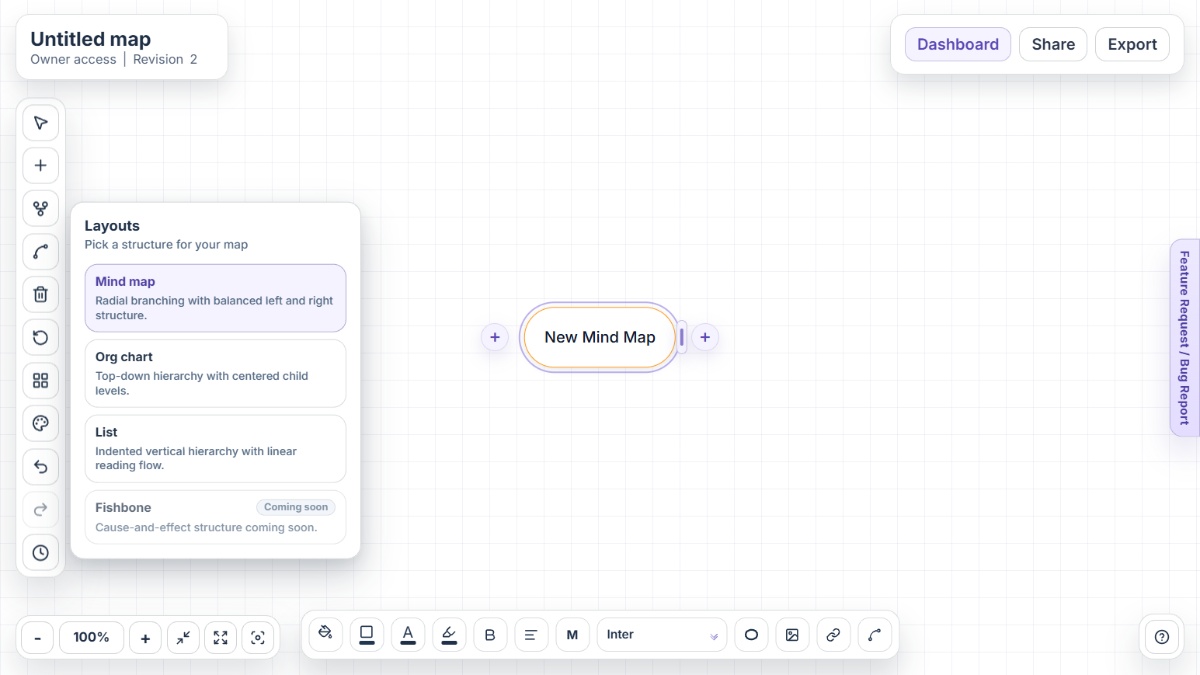
Mindmap-Maker interface showing mind map canvas with nodes, branches, and export options

Why people look for Miro alternatives

Miro is a strong collaborative whiteboard, but mind map-heavy teams often compare alternatives to improve editing speed, structure discipline, and cost fit for everyday use.

Mind map work can get buried in a broad canvas workflow

Miro is excellent for mixed visual collaboration, but users focused on pure mind maps sometimes prefer tools with a tighter node-and-branch editing experience.

Free plan board limits affect regular usage

The free tier allows only 3 active editable boards at a time, so frequent planners often compare alternatives once that limit starts interrupting flow.

Per-seat subscriptions can become expensive at scale

As more teammates join workshops and planning sessions, per-member pricing can shift the total cost profile for teams with heavy collaboration needs.

Some teams want faster startup with less onboarding

Users who need instant visual thinking sessions often look for no-signup or low-friction tools that let them start mapping immediately.

Specialized map export and structure needs vary

Different teams prioritize different outputs, such as document-friendly outlines, lightweight image exports, or structured hierarchy views for project planning.

Alternative 1Open Mindmap-Maker

Alternative #1: Mindmap-Maker

Mindmap-Maker is built for fast, browser-based mind mapping with no signup friction, making it a strong choice for brainstorming, concept mapping, and structured planning sessions.

Key features

  • No-signup access for immediate mapping
  • Three modes: Mind Map, Org Chart, and List
  • Version history with restore support
  • Secure sharing with Owner, Editor, and Viewer roles
  • Export to PNG, JPG, SVG, PDF, Word, and HTML
  • Custom connections between any two nodes

Pros

  • Starts instantly for rapid brainstorming and visual thinking
  • Layout flexibility helps teams move from idea map to executable structure
  • Export options support handoff into docs, slides, and knowledge archives

Cons

  • Teams standardized on a broad whiteboard suite may need workflow adjustments
  • Organizations requiring deeply embedded enterprise add-ons may compare integrations
  • Advanced multi-format workshop facilitation is more focused than all-in-one canvas platforms
Alternative 2Open MindMeister

Alternative #2: MindMeister

MindMeister is a dedicated online mind mapping platform designed for structured idea trees, collaborative editing, and straightforward presentation-oriented map communication.

Key features

  • Collaborative map editing
  • Template-based map creation
  • Presentation mode
  • Task widget for action tracking
  • Import and export options
  • MeisterTask integration for task handoff

Pros

  • Focused map-first experience with less whiteboard overhead
  • Good fit for teams that want classic hierarchical brainstorming
  • Useful for users who move from mapping to task planning

Cons

  • Free tier includes strict map limits
  • Some stronger capabilities require paid plans
  • Deep governance controls are more relevant on higher tiers
Alternative 3Open Coggle

Alternative #3: Coggle

Coggle emphasizes simple collaborative mind mapping and flowcharting, making it appealing for teams that want quick visual structure without heavyweight setup.

Key features

  • Real-time collaborative diagrams
  • Branch joining and loops
  • Full change history
  • Image and text-rich nodes
  • Flowchart support
  • Browser-based mind mapping access

Pros

  • Very approachable for fast idea capture
  • Clear branch-based editing supports classic mind map workflows
  • History view helps teams track how thinking evolves

Cons

  • Private and advanced usage scales with paid plans
  • Less suited for broad enterprise whiteboarding scenarios
  • Feature depth is narrower than full collaboration suites
Alternative 4Open XMind

Alternative #4: XMind

XMind is a dedicated mind mapping tool known for strong structure control, multiple visual map styles, and cross-device support for deep individual or team mapping.

Key features

  • Multiple map structures
  • Outliner-style organization
  • Desktop, web, and mobile support
  • Presentation-friendly visuals
  • AI-assisted mapping workflows
  • Web, desktop, and mobile support

Pros

  • Strong option for users who prioritize map depth over whiteboard breadth
  • Flexible structures help with complex knowledge mapping
  • Cross-platform availability supports mixed device teams

Cons

  • Can feel feature-dense for lightweight mapping
  • Collaboration patterns differ from live whiteboard-first tools
  • Teams may need onboarding to standardize structure styles
Alternative 5Open Lucidchart

Alternative #5: Lucidchart

Lucidchart is a collaborative diagramming platform that includes mind mapping alongside process diagrams, org charts, and broader visual documentation workflows.

Key features

  • Collaborative diagram editor
  • Template and shape libraries
  • Lucid AI-assisted workflows
  • Data linking capabilities
  • Enterprise integrations
  • Data linking and conditional formatting

Pros

  • Strong when mind maps sit inside wider diagramming operations
  • Useful for process-heavy organizations
  • Mature administrative and integration capabilities

Cons

  • Mind mapping is part of a broader suite, not the only focus
  • Setup depth may exceed the needs of lightweight brainstorming
  • Teams wanting minimal UI may prefer simpler map-centric tools

Conclusion

Miro remains a great option when teams need a broad whiteboard environment for workshops and cross-functional planning. If you mainly care about faster, cleaner mind map workflows, a more focused product often feels better in daily work. Mindmap-Maker is the top no-signup option, and MindMeister, Coggle, XMind, and Lucidchart each cover different collaboration and planning preferences.

Other alternatives

FAQ

What is the best Miro alternative for dedicated mind mapping?

If your main goal is fast and focused mind mapping rather than broad whiteboarding, Mindmap-Maker is a strong option to start with.

Is Miro free for mind mapping?

Miro offers a free plan, but only three boards can be active and editable at one time, which is a common reason users compare alternatives.

Does Miro support collaboration on mind maps?

Yes. Miro supports real-time and async collaboration, including co-editing, commenting, and sharing boards with teammates.

Can Miro mind maps be exported?

Miro supports exporting mind map content as image and PDF, and teams can also share boards by link for collaborative review.

Why do teams switch from Miro to a mind map-first tool?

Common drivers include wanting a lighter interface, lower onboarding friction, and a workflow optimized specifically for node-based idea mapping.

Which alternative should teams choose if they still need collaboration?

Mindmap-Maker, MindMeister, and Coggle are all collaboration-capable options, with different tradeoffs in workflow depth, structure, and setup speed.